
STEP 01
Choose a replacement mode
Select Solo Singer, Solo Sax, Duo, Trio, or Full Band. The mode sets which seats are replaced and how many photos you need: one, one, two, three, or five.
Create the full ~19-second Tiny Desk performance with your cast. Choose one to five performers, upload a photo for each role, and select 480p or 720p.
Start creatingChoose a replacement mode → upload photos → set video quality
Pick your lineup first, then add one photo for each role.
Use a different photo for each role. JPG, PNG or WebP · max 10 MB.
Only upload photos you have permission to use. Photos are previewed on this page for now.
A PERSONAL CAST FOR A FAMILIAR PERFORMANCE
This fan-made format riffs on the Tiny Desk Concerts series: a band squeezed around a desk in a room full of shelves and everyday clutter. A short clip of “Outstanding” became a vertical-video template, and fans began recasting its performers with friends, teams, and rivals. Tiny Desk AI turns that idea into a personalized video from your photos.
Your finished video follows the complete ~19-second performance, not just a short highlight. The template has five original shots; Tiny Desk AI keeps their order and timing, replaces the shots needed for your lineup, and preserves the original song. Depending on the selected roles, the shots are generated in one or two requests, trimmed to their source lengths, and assembled into the full sequence.
Photo choice matters most. Use a clear image for each seat so the model has a useful reference for that person’s face, hair, and clothing. Choose one person, two, three, or the full five-person band, and review the price before you generate. Failed videos are not charged.
FROM PHOTOS TO PERFORMANCE
STEP 01
Select Solo Singer, Solo Sax, Duo, Trio, or Full Band. The mode sets which seats are replaced and how many photos you need: one, one, two, three, or five.
STEP 02
Upload one photo for each selected role. Solo Singer replaces the lead singer, Solo Sax replaces the saxophone player, Duo replaces both, and Trio adds the keyboard player. Full Band replaces all five performers with five separate photos; performers outside the selected lineup stay as they appear in the source.
STEP 03
Pick 480p or 720p. The video stays vertical at 9:16 and follows the roughly 19-second source performance.
STEP 04
The selected shots are grouped into one or two chronological requests based on their combined duration. Each generated section is trimmed back to its original shot lengths, then the full sequence is joined with the original song.
FOUR PERFORMER REFERENCE IMAGES
These four images show the performer references used for the Tiny Desk lineup: the lead singer, saxophone player, keyboard player, and the keyboard player with a backing vocalist.
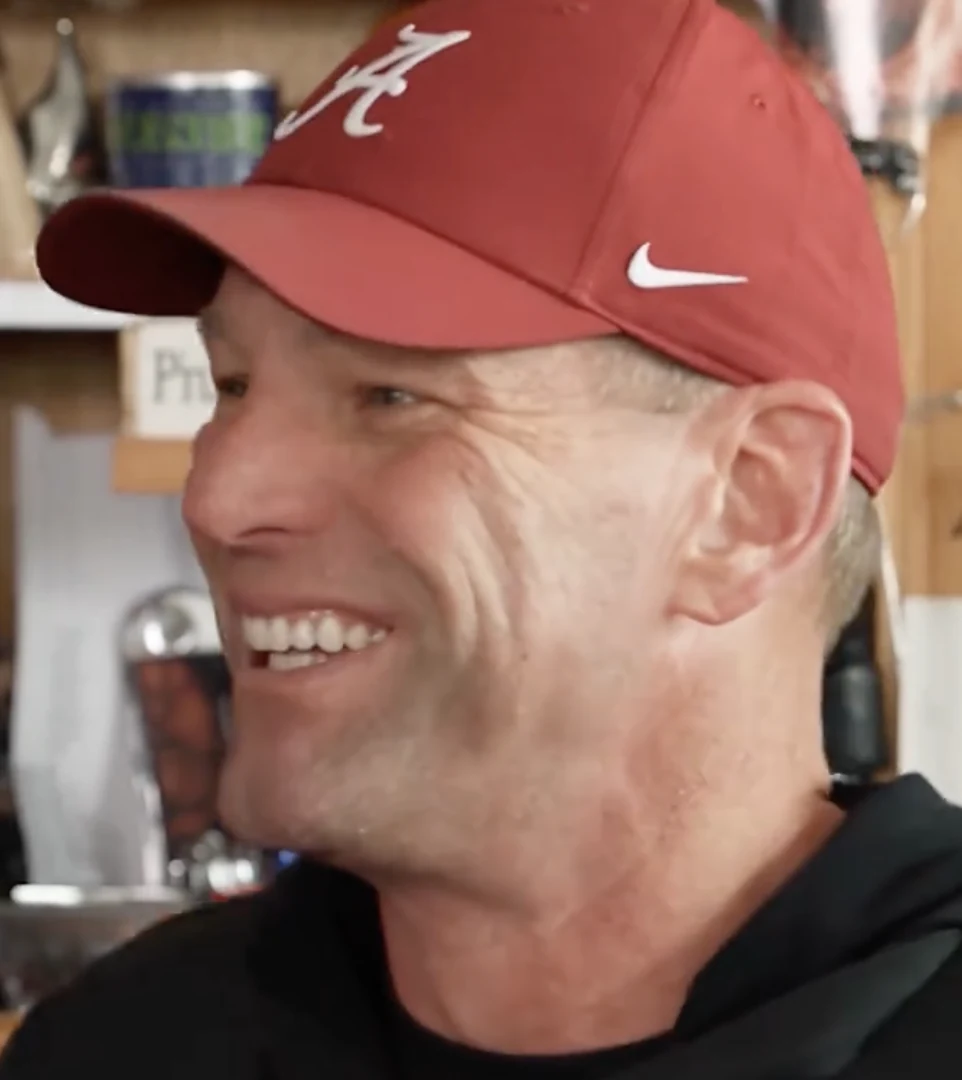 01
01Opens the video, then sings and laughs from the right side of the close-up frame.
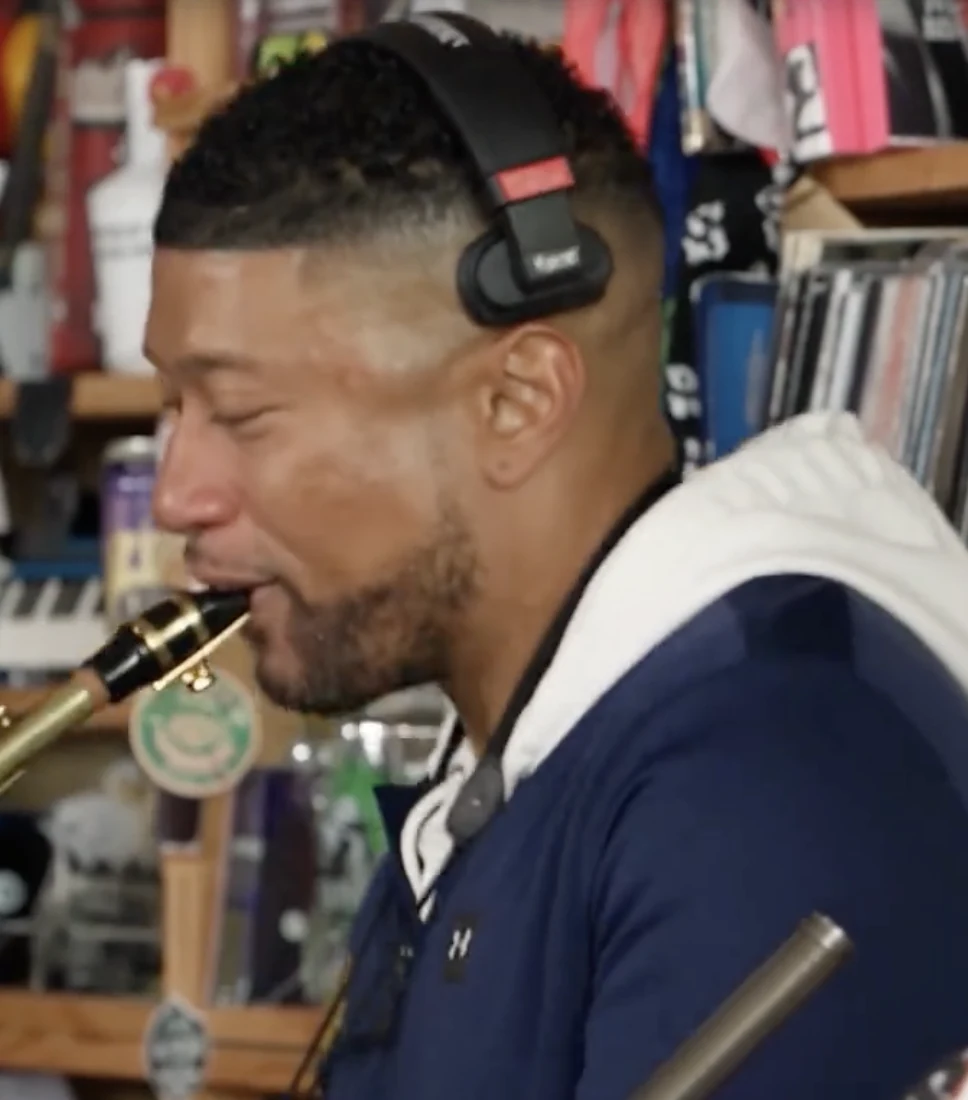 02
02Joins in the second half with a saxophone close-up.
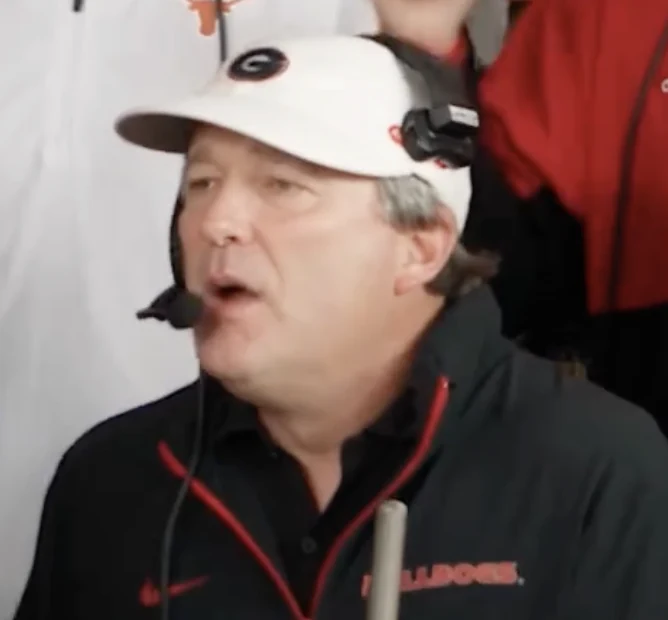 03
03Sits closest to the camera at the desk, singing while playing the keys.
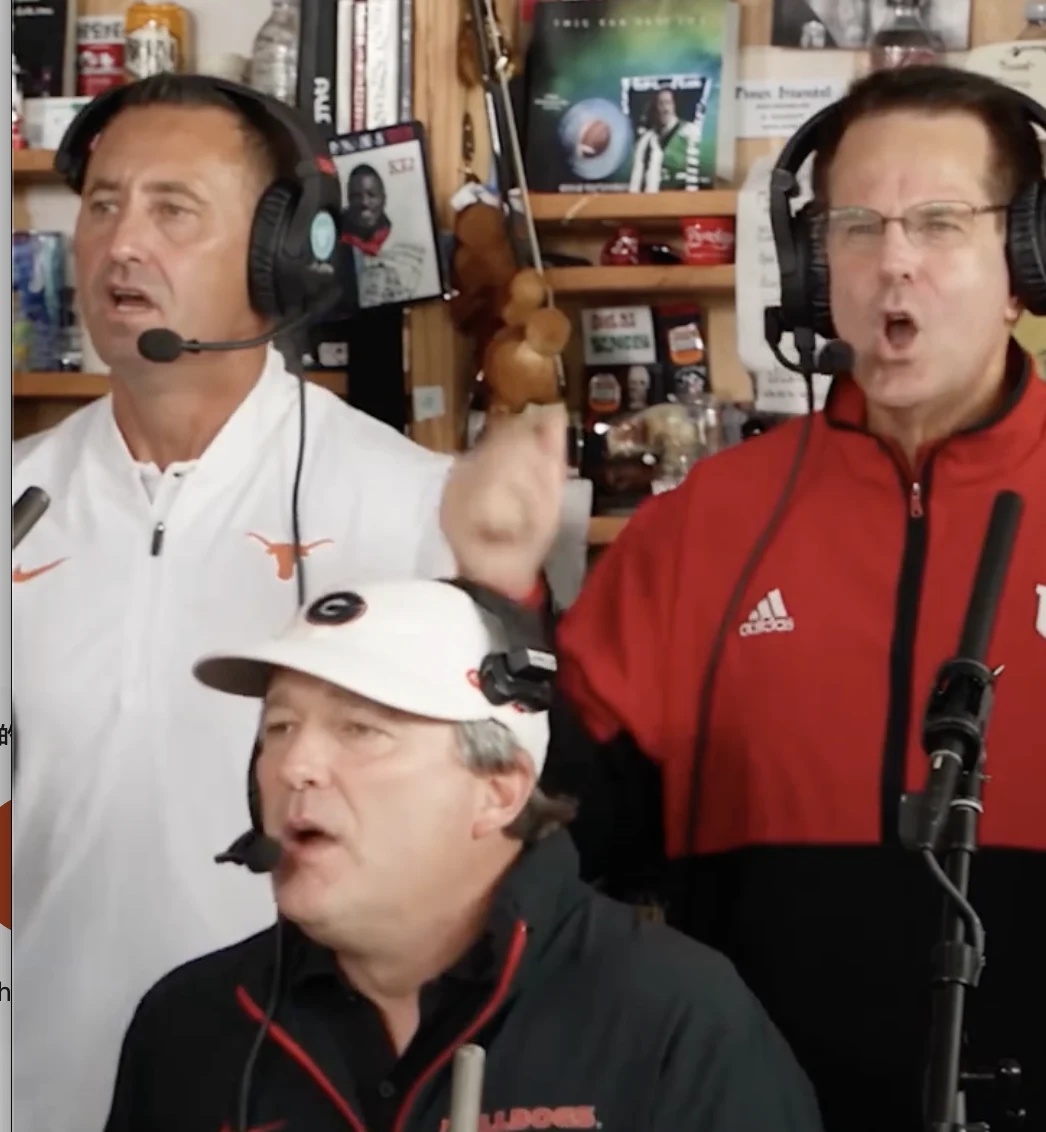 04
04The wider group view shows the keyboard player performing alongside the backing vocalist.
MAKE IT A GROUP VIDEO
Put your group chat around the desk, give someone the lead, and send the finished clip back to the people who will get the joke.
Make a playful clip for a farewell, launch, or all-hands. Ask everyone first and use photos they have agreed to share.
Bring friendly rivals or favorite players into the same band. Keep the joke clear, get permission where needed, and label the result as AI-generated.
Choose Solo Singer or Solo Sax to focus the edit on one performer while the other people remain from the original clip. For a full team recast, use Full Band mode and add five different photos.
A PERSONAL CAST FOR A FAMILIAR PERFORMANCE
Use one clear photo of one person for each selected role. Solo Singer and Solo Sax each need one photo, Duo needs two, Trio needs three, and Full Band needs five. Only the roles in the selected mode are replaced; other performers remain from the source. A front-facing or slightly turned face, even lighting, and visible hair and clothing give the model better identity references. Avoid group photos, heavy filters, sunglasses, and anything that covers the face. The result is AI-generated, so facial details and movement can still vary.
TINY DESK AI QUESTIONS
It is a personalized vertical video based on the supplied Tiny Desk performance. You choose which performers to replace and upload a photo for each selected seat.
Solo Singer and Solo Sax each need one photo. Duo needs two, Trio needs three, and Full Band needs five photos—one for every seat.
The price is shown before you start and depends on the selected video quality. Failed videos are not charged; only a completed result uses credits.
Both options use the same vertical 9:16 framing and follow the source performance timing. 720p gives you a higher-resolution result; 480p uses less resolution.
Choose a sharp, well-lit photo with one clearly visible face. Use a different photo for each seat and avoid group shots, sunglasses, or face coverings.
You can use a person’s photo only with permission. The template is built around human performers, so pet results may be less consistent. Do not use a result to mislead or impersonate someone.
Yes. The generated visual segments are trimmed to the reference cuts, joined, and paired with the original song again.
The finished video follows the complete ~19-second performance, with all five original shot timings and the original song.
Rendering time varies with provider demand and lineup. Depending on the selected shots, generation uses one or two sequential requests before the full video is assembled.
No. Tiny Desk AI is an independent fan-made tool and is not affiliated with or endorsed by NPR or NPR Music.
A failed generation is not charged. You can review the photos and settings and try again.
Choose a lineup, add the performer photos, and make the familiar desk performance your own.